Why does Decide need Screen Time permission?
Short answer: Screen Time permission is what lets Decide set aside the apps you choose, on this iPhone. Without it Decide can’t shield apps; you can still set everything up and allow it later.
The first time
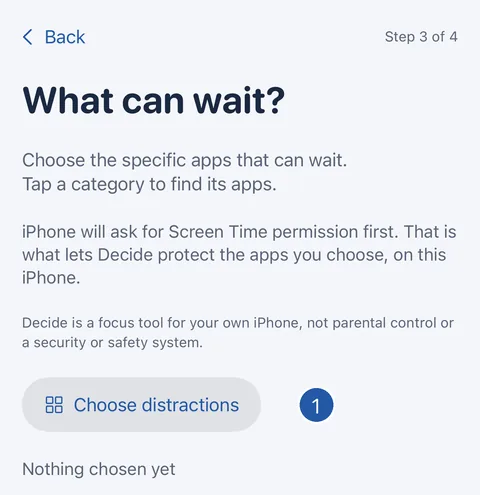
- When you set Decide up, the What can wait step explains that iPhone will ask for Screen Time permission first. Tap Choose distractions.
- iPhone shows its own Screen Time request. Follow it to allow access for Decide.
- Choose the apps that can wait, then continue.
Checking it later
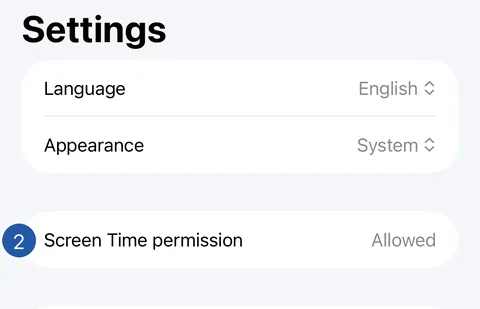
- On Home, tap the gear to open Settings.
- Screen Time permission shows Allowed, Not allowed, Not asked yet or Unavailable.
- If it says Not asked yet, tap Ask for permission. If it says Not allowed, tap Open Settings and allow Decide under Screen Time in iPhone Settings.
What the permission covers
It covers your own iPhone only. Decide is not parental control, and nothing you choose is shared with anyone. Decide never reads which apps you use or for how long.
Unavailable means Screen Time isn’t available on this iPhone, so Decide can’t shield apps here.
Still need help?
Write to us by email. It helps to say what happened, what you expected, and your iOS version. In Decide, Settings → Contact Us opens a message to the same address.