Your attention. Your choice.
Make space for what matters.
Your phone shouldn’t decide where your attention goes. Decide puts distracting apps on hold, so you can focus on your work, be present with your family or make time for yourself.

Start now or schedule protected time. Need one app for a moment? Take a Mini Break.
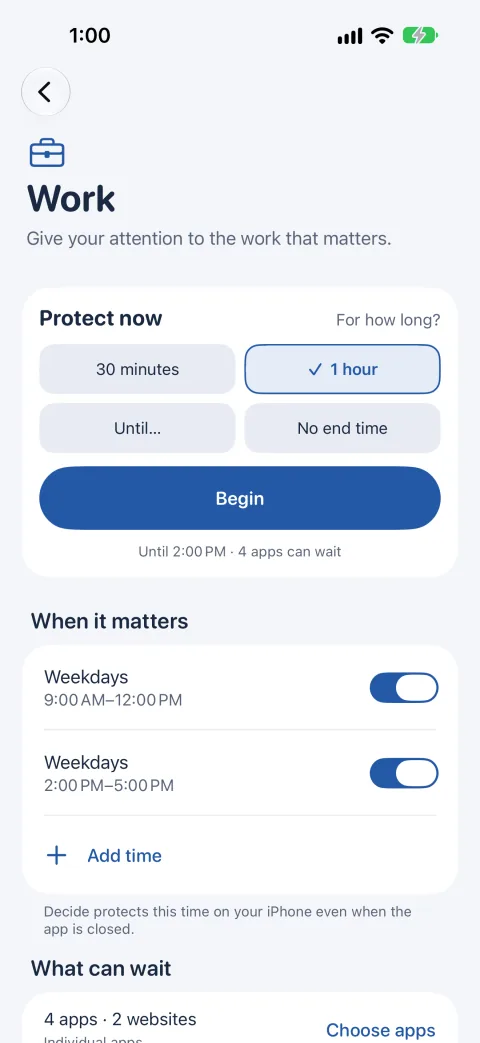
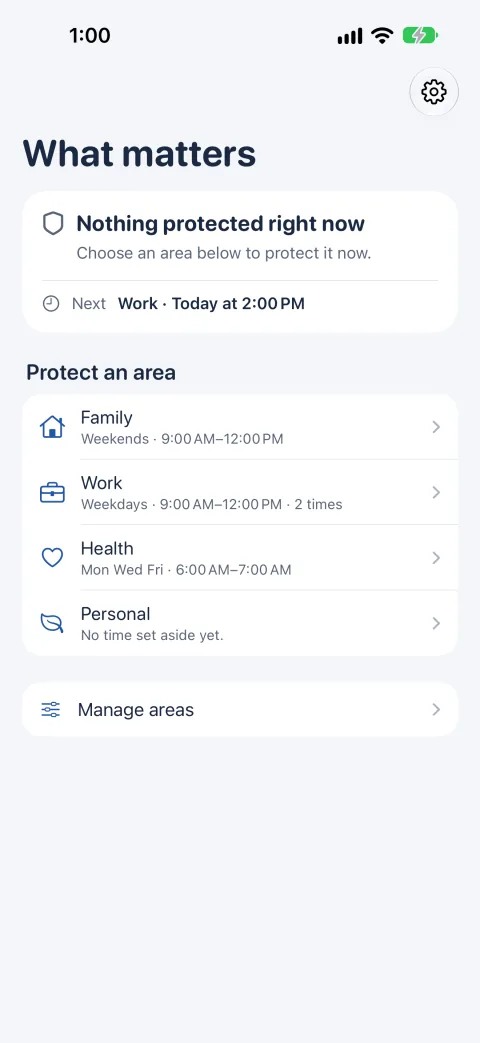
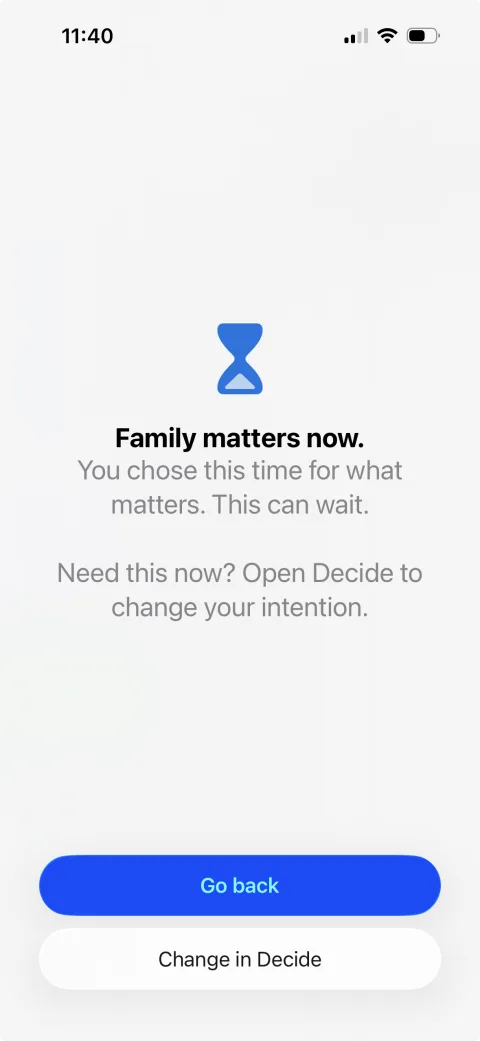
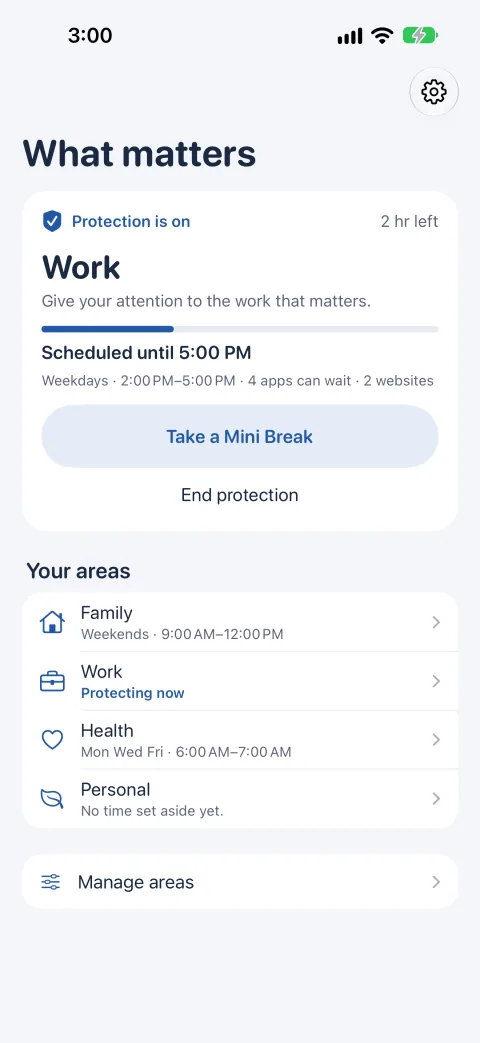
Your phone knows what wants your attention. You decide what deserves it.
You pick up your phone to check one thing and look up long after, still scrolling. Decide lets you choose the apps that pull you in and set them aside while you work, read or spend time with your family — the moments you decided matter.
How it works
-
Choose what matters
Family, work, sleep, education, health, personal time, friends or faith. Keep the areas that are yours and hide the rest.
-
Choose the apps that can wait
Pick the specific apps that pull you away, in Apple’s own picker. Decide can see how many you chose, never which ones.
-
Choose when it matters
Protect an area right now, or give it regular time: weekday mornings, every evening, or just tonight. Reach for an app you chose, and Decide reminds you of your decision.
You decide what can wait.
Choose the apps that tend to pull you away, one by one. While an area is protected, they’re set aside. Open one, and Decide shows you the choice you made instead.
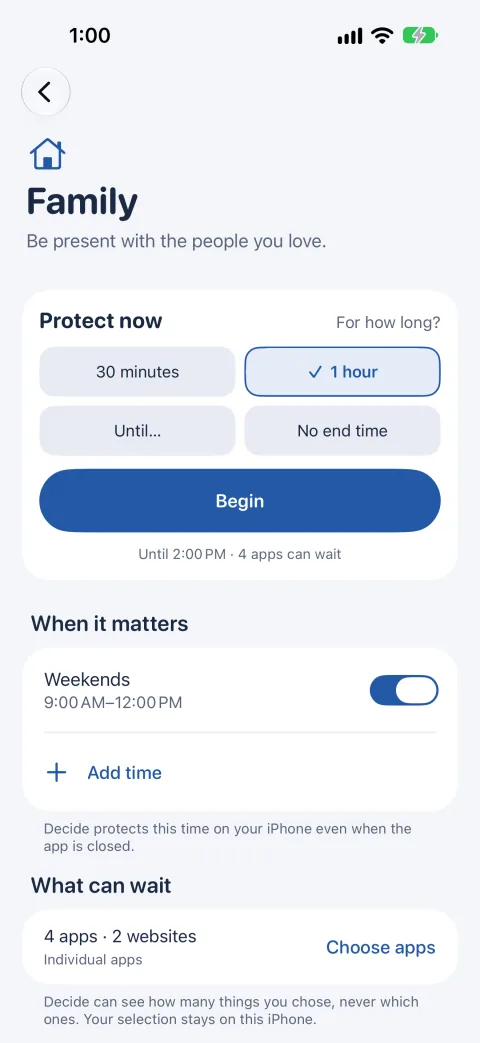
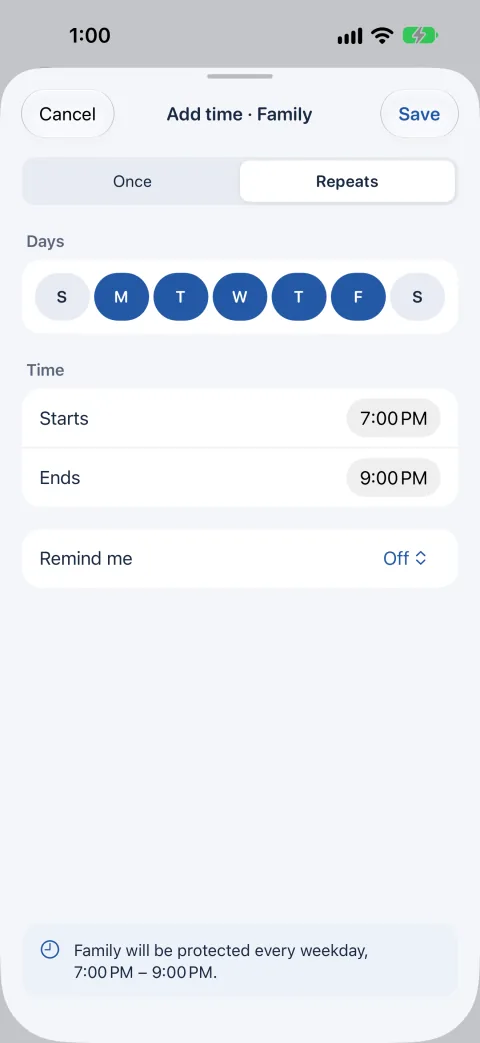
Protect time now, or make it a habit.
Begin now for 30 minutes, an hour, until a time you pick or until you end it. Or give an area its own time — weekday mornings for focused work, evenings for family — and it starts and ends on its own, even when Decide is closed. A reminder beforehand is optional.
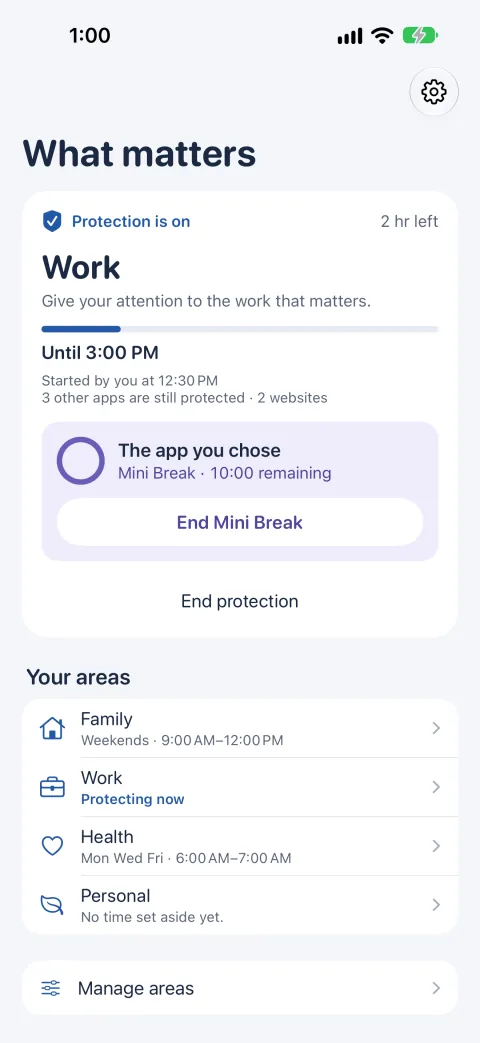
Take a break. Come back.
A Mini Break opens one protected app for 5, 10 or 15 minutes while everything else stays protected. When the time is up, that app is protected again on its own.
Your life is not our dataset.
Decide has no account, no ads, and no analytics or tracking code. It doesn’t collect the apps you choose or how you use your phone: your areas, chosen apps and schedules are stored on this iPhone, and Decide can’t read the names of the apps you choose. Optional reminders are delivered by iOS and may appear on your connected devices. This describes the app; the privacy notice also covers this website, and the creators application form has its own notice.
Where your information goes
- Your decision What matters, what can wait, and when →
- Local configuration Stored on this iPhone →
- Apple Screen Time frameworks On-device →
- Local protection Apps you chose are set aside
No activity-data server
Protection and app storage in this diagram are local. Optional reminders use the iOS notification store and may appear on connected devices.
Built on your choice.
-
You decide
Decide never tells you that you failed, and never tells you what should matter. It reminds you of a decision you already made.
-
Private by architecture
There is no account and no activity server. Your app choices and schedules are kept on your iPhone and are not sent to us.
-
Yours to end
Protection is a decision, not a lock. You can end it in Decide whenever you choose — and Decide succeeds when you leave the app and return to your life.
Your attention is yours to give.
Choose what matters, decide what can wait and protect the time that deserves your full attention. Setting up Decide is free.
Protecting needs a plan: Monthly, Yearly or Lifetime. Prices are shown in Decide before you buy.